MICROSOFT 365

Microsoft 365 support in Limerick

Reliable business email, shared files your team can find and secure access from the devices they use. We help businesses in Limerick and across Ireland plan, configure and support their Microsoft 365 workspace.

Limerick, Ireland · Business-focused technology support.

Practical help. Clear outcomes.

01

Email migration

Move from hosted IMAP email or an existing mail platform to Exchange Online with an agreed migration plan. We review users, mailbox sizes, shared addresses and access requirements before the changeover.

The agreed scope can include mailbox migration, Outlook setup, shared mailboxes, domain records and checks that incoming and outgoing email work correctly. Large mailboxes and archive requirements are reviewed before work begins.

02

Teams, SharePoint & OneDrive

Set up Teams for day-to-day conversations and meetings, SharePoint for company documents and OneDrive for individual working files. We help plan a folder structure, access groups and sharing rules that make sense for your business.

We can also review file synchronisation, Files On-Demand and external sharing so staff understand where to save work and how to share it appropriately.

03

Intune & Defender

For suitable Microsoft 365 plans, bring device management and endpoint protection into the same workspace. The agreed setup may include Intune enrolment, update policies, Defender protection and BitLocker encryption on supported devices.

We review multi-factor authentication, administrator accounts and access policies with you. Licence requirements and compatibility are confirmed before deployment.

MICROSOFT 365

More than email.
A better way to work.

For a migration enquiry, share your current email provider, domain, approximate user count and any deadline. Keep account passwords out of the form.
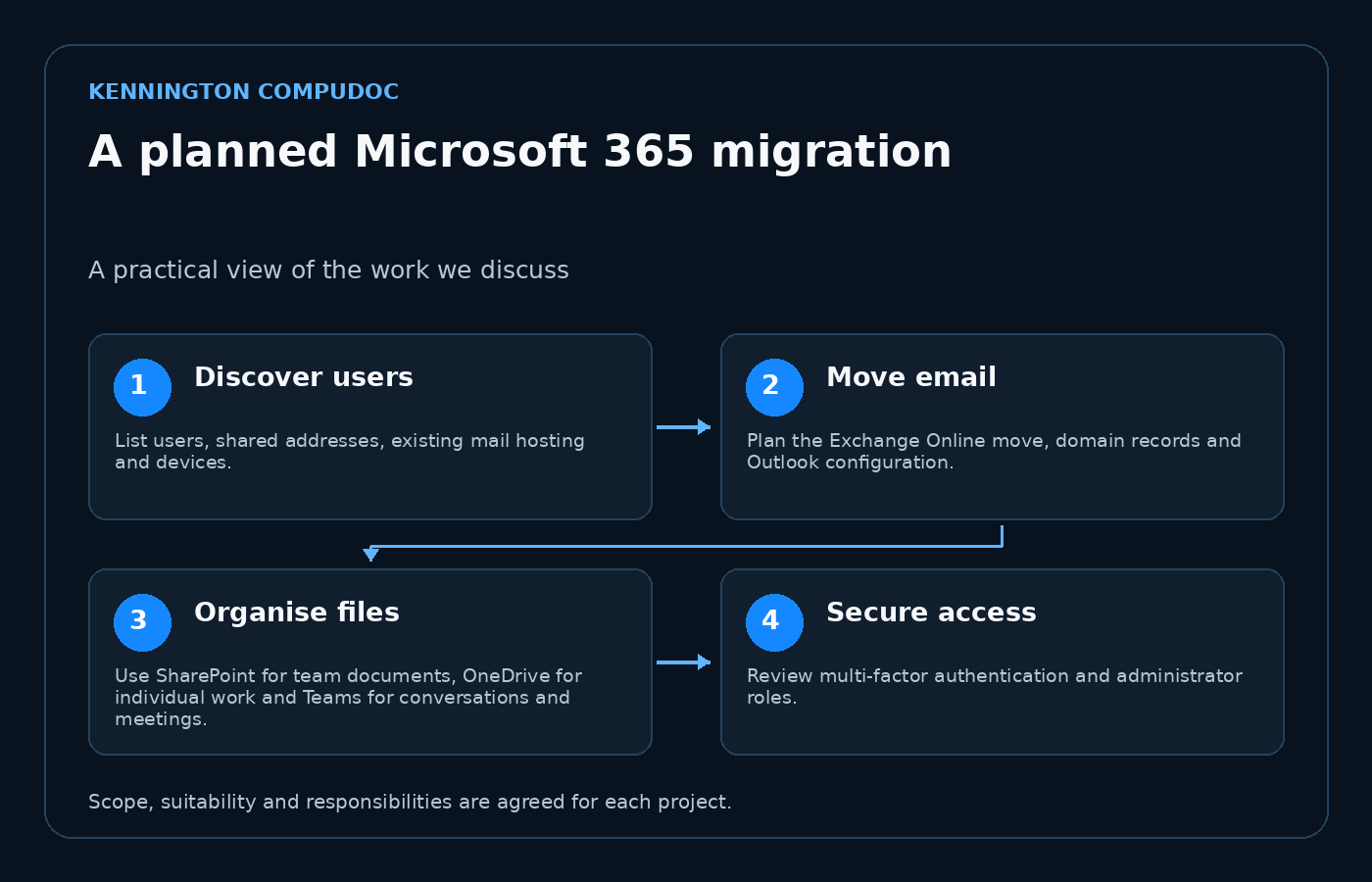
A planned Microsoft 365 migration: Discover users, then Move email, then Organise files, then Secure access
Select the diagram to view it at full size.

Discover users

List users, shared addresses, existing mail hosting and devices. Mailbox sizes and archive requirements help determine migration scope and the most suitable changeover approach.

Move email

Plan the Exchange Online move, domain records and Outlook configuration. The agreed checks confirm that included mailboxes can send, receive and access their migrated content.

Organise files

Use SharePoint for team documents, OneDrive for individual work and Teams for conversations and meetings. Agree permissions and external sharing before moving sensitive business files.

Secure access

Review multi-factor authentication and administrator roles. Intune device management, Defender protection and encryption can be included when licensing and compatibility support them.

Planning the work

We confirm the licences, data scope, changeover responsibilities and handover guidance before deployment. Ongoing tenant administration and support are discussed separately.

Microsoft 365

A workspace that fits your business

Email migration & Exchange
Teams & collaboration
SharePoint & OneDrive
Intune device management
Defender & account protection

From the first conversation to the next step.

01

Understand

Tell us what is happening, what you want to achieve and any deadlines that matter.

02

Recommend

We explain the practical options, scope and costs before you decide how to proceed.

03

Deliver

We agree the work, keep you informed and help you understand the result.

LET’S MAKE TECHNOLOGY EASIER

Ready for technology
that works for you?

Tell us what’s slowing you down, what you want to improve or what you’re planning next. We’ll work out the right next step together.

top
Simplifying IT
for a complex world.
Platform partnerships