COMPUTER REPAIR SERVICES

Computer repairs in Limerick

Practical help when a computer, laptop or everyday IT issue is slowing you down.

Limerick, Ireland · Business-focused technology support.

Practical help. Clear outcomes.

01

Diagnosis first

A slow computer, unexpected shutdown or a laptop that will not start can have several causes. We begin with the symptoms, recent changes and the condition of the device before recommending a repair.

The assessment can include storage health, memory, Windows errors, updates, overheating and power issues, depending on the fault. You receive a clear explanation of the findings and the practical next step.

02

Repairs & upgrades

Where a repair is worthwhile, we explain the parts and work required. Suitable options may include SSD replacement, additional memory, Windows reinstallation, software troubleshooting or replacing a faulty component.

We check compatibility and agree the costs before proceeding. If the equipment is too old or the repair does not offer good value, we can help you choose a replacement and plan the transfer of your files and applications.

03

Business continuity

Tell us which files, applications and accounts you need to keep working. Before work that could affect your data, we discuss backup status and agree what can be preserved or transferred.

If a drive is failing or is no longer detected, avoid repeatedly trying to use it. We can assess the next step and discuss specialist data recovery where required. Recovery results depend on the condition of the device and are confirmed separately from a normal repair.

From the first conversation to the next step.

01

Understand

Tell us what is happening, what you want to achieve and any deadlines that matter.

02

Recommend

We explain the practical options, scope and costs before you decide how to proceed.

03

Deliver

We agree the work, keep you informed and help you understand the result.

Computer diagnosis and repair

A useful repair enquiry includes the computer or laptop model, a short description of the fault and whether you have a current backup.
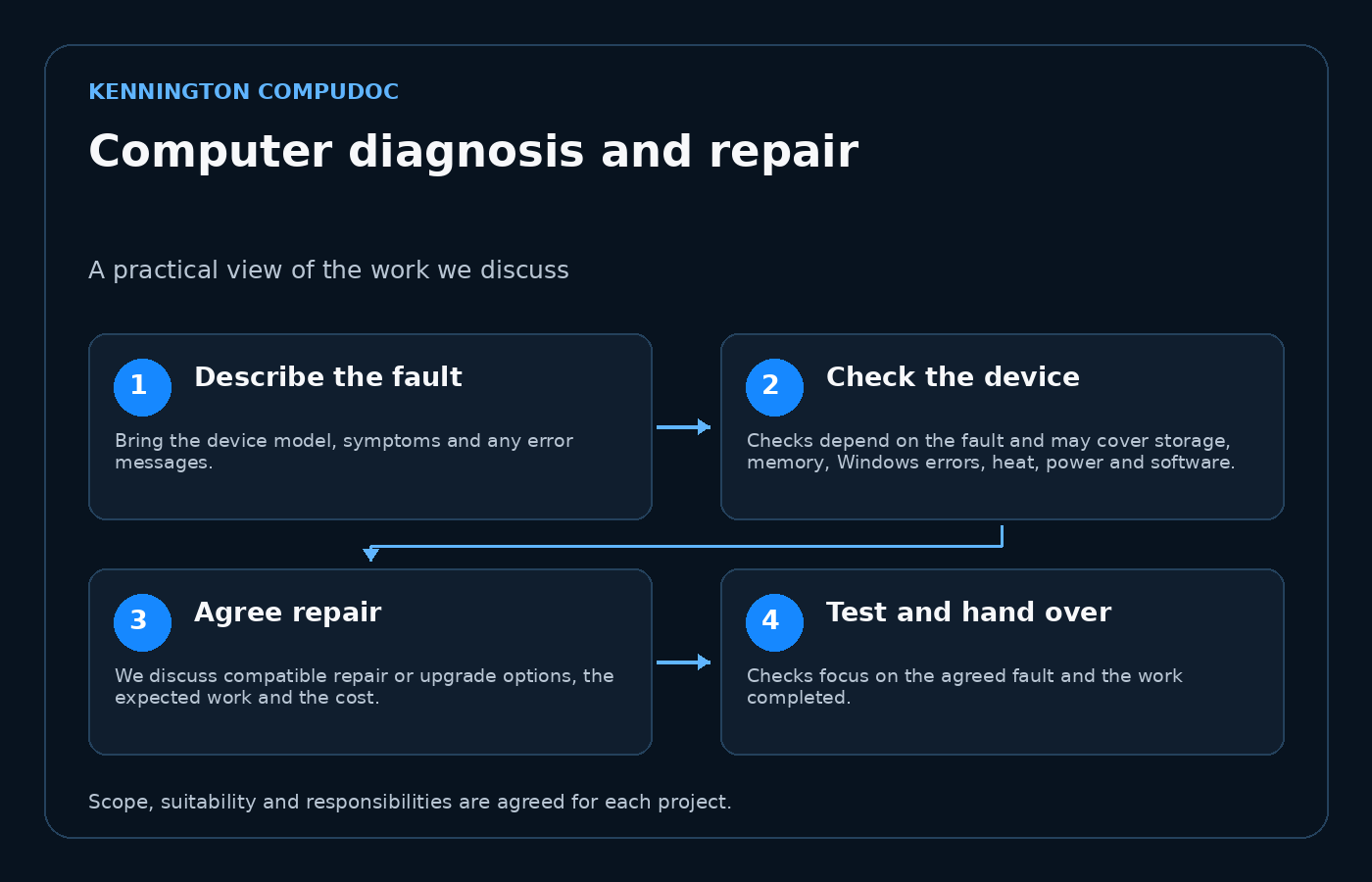
Computer diagnosis and repair: Describe the fault, then Check the device, then Agree repair, then Test and hand over
Select the diagram to view it at full size.

Describe the fault

Bring the device model, symptoms and any error messages. Tell us when the problem began, whether anything changed recently and which files must be protected.

Check the device

Checks depend on the fault and may cover storage, memory, Windows errors, heat, power and software. Diagnosis comes before choosing parts or reinstalling software.

Agree repair

We discuss compatible repair or upgrade options, the expected work and the cost. Replacement may be more sensible when a device is old or uneconomical to repair.

Test and hand over

Checks focus on the agreed fault and the work completed. We explain what changed, any remaining limitations and how to continue using the device.

Planning the work

Do not send passwords through the contact form. If a drive is failing, stop using it and arrange an assessment. Data recovery and file transfer are agreed separately when required.

A few useful answers.

How do we get started?

Send a short description of what you need, your current setup and any deadline. We will discuss the next step with you.

Will we know the scope before work starts?

We will explain the proposed work and costs so you can decide how to proceed.

LET’S MAKE TECHNOLOGY EASIER

Ready for technology
that works for you?

Tell us what’s slowing you down, what you want to improve or what you’re planning next. We’ll work out the right next step together.

top
Simplifying IT
for a complex world.
Platform partnerships